
Download True Time Tracker – time tracking, computer usage, productivity, application monitoring, website monitoring, daily habits, self-awareness, work efficiency, digital wellbeing, focus
Overview
True Time Tracker is a lightweight utility designed to help users gain a clear understanding of their computer usage patterns. By monitoring both application and website activity, the tool provides detailed insights into how time is allocated across digital tasks. Its primary purpose is to support users in assessing their productivity levels and making informed decisions about their digital habits. This app is especially useful for professionals, students, and remote workers who aim to improve focus, reduce distractions, and enhance work efficiency.
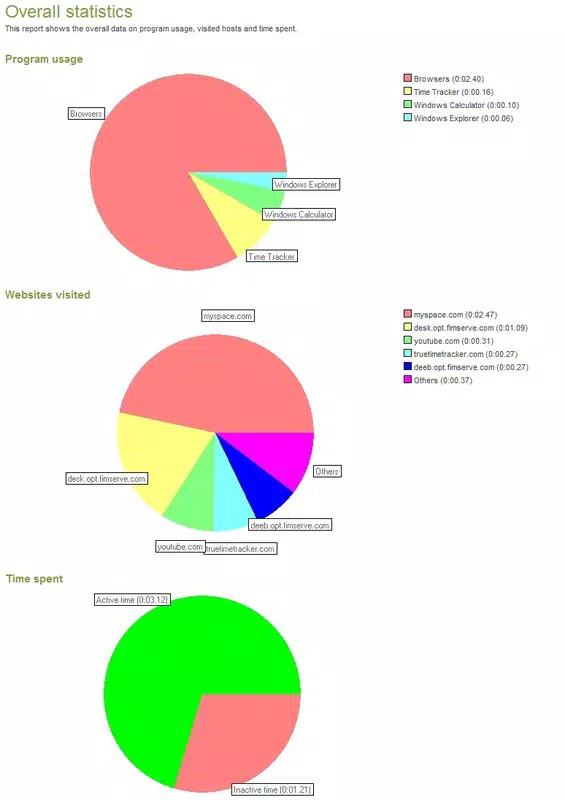
The application operates by recording the total time spent on the computer and breaking it down by individual applications and websites. This granular data allows users to identify time-consuming activities and adjust their routines accordingly. For example, a user might discover they spend excessive time on social media or certain non-essential programs, prompting a shift toward more productive behaviors. The app supports self-awareness, a critical component of digital wellbeing, by offering transparent, real-time feedback on digital consumption.
Although the developer did not provide additional technical details, the app’s long-standing presence in the market since its release on April 18, 2012, suggests a stable and reliable foundation. It remains relevant in today’s productivity-focused ecosystem, where tools that promote mindful technology use are increasingly valued. True Time Tracker serves as a foundational tool for anyone seeking to take control of their digital habits without relying on complex or resource-heavy software.
Key Features & Functionality
- Comprehensive Time Tracking: Monitors total computer usage and provides a breakdown by application and website, enabling users to visualize time allocation across digital activities.
- Application Usage Insights: Tracks time spent on individual applications, helping users evaluate which programs contribute most to their workflow and which may be distractions.
- Website Monitoring: Records time spent on specific websites, allowing users to identify browsing patterns and manage time spent on non-work-related online content.
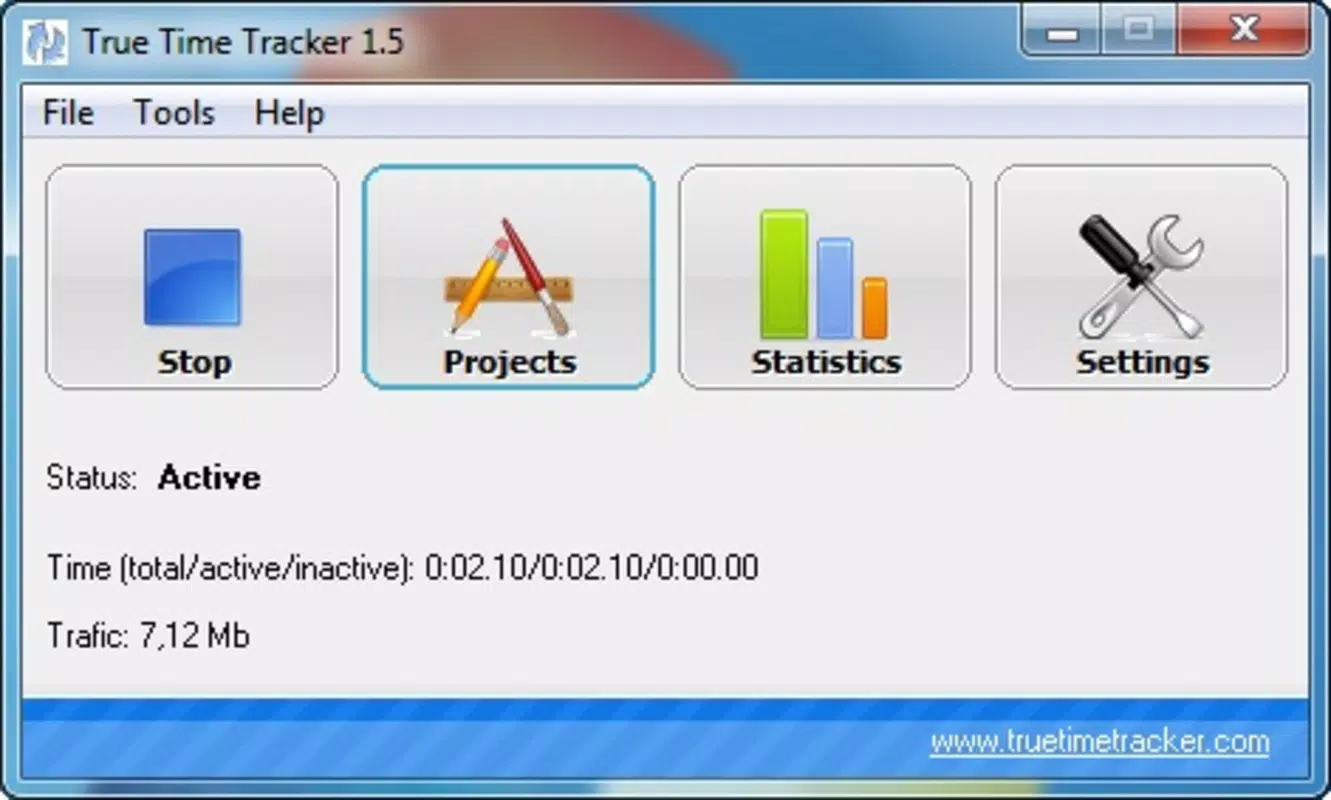
- Flexible Timer Reset: Offers users the ability to reset the timer at any time, though the most accurate data is obtained when the timer runs continuously without interruption.
- Awareness & Productivity Boost: By revealing how time is actually spent, the app fosters self-awareness, encouraging users to align their habits with personal or professional goals.
For instance, a student preparing for exams might use the app to track time spent on study tools versus entertainment sites, enabling them to adjust their schedule for better focus. Similarly, a remote worker could analyze application usage to determine if they’re spending too much time on email clients or messaging apps, leading to more intentional work habits. The tool’s simplicity ensures that users can gain meaningful insights without requiring technical expertise or setup.
Interface, UX & Performance
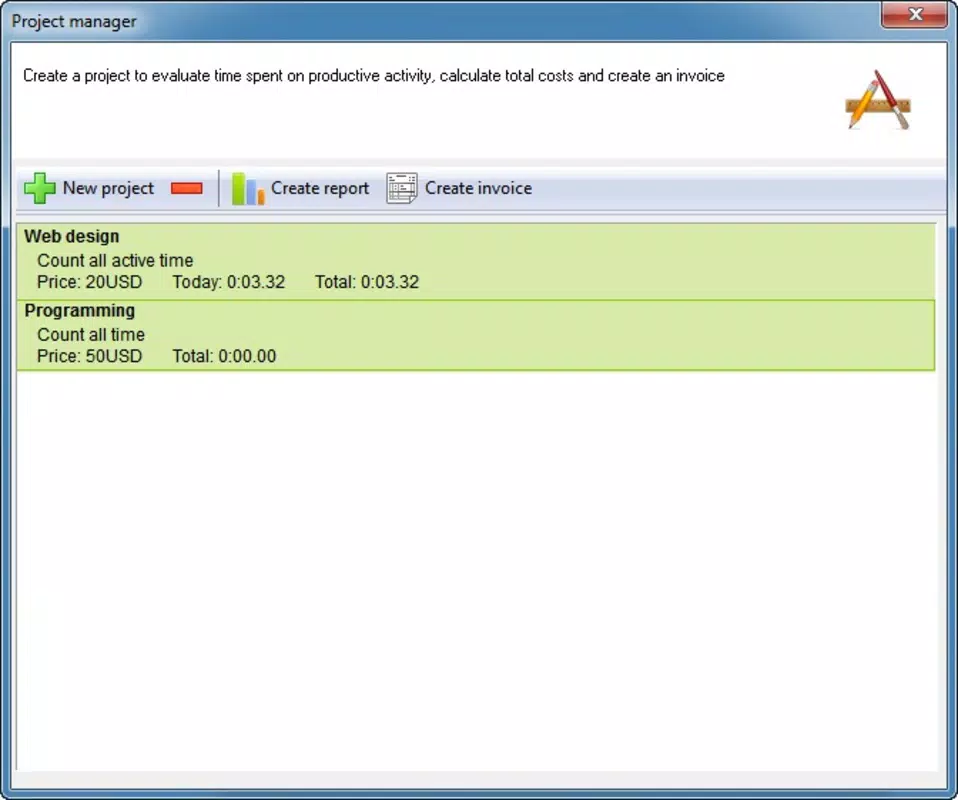
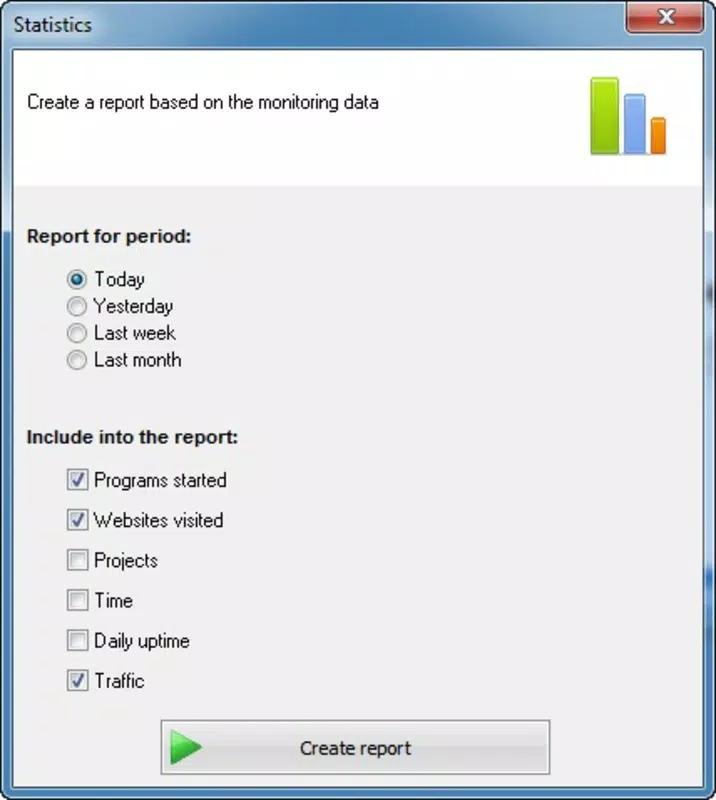
True Time Tracker presents a clean, minimal interface focused on delivering essential data without visual clutter. The layout emphasizes readability, with clear labels and straightforward displays of time metrics. Navigation is intuitive, allowing users to access usage summaries and breakdowns with minimal effort. The app’s design aligns with its purpose: to provide insight, not distraction.
Although the developer did not list formal performance metrics, the app’s file size of 1.5 MB suggests it is optimized for low resource consumption. This makes it suitable for use on older or less powerful Windows systems. The application runs in the background with minimal impact on system performance, ensuring it does not interfere with other tasks. Responsiveness is consistent, with updates to time tracking appearing in real time.
Stability appears to be a strength, given the app’s long-standing availability and lack of reported issues. While specific compatibility details were not disclosed, its lightweight nature indicates broad compatibility across various Windows versions. Users can expect consistent behavior across different device categories, from desktops to laptops, without noticeable lag or crashes.
Platform Compatibility & Technical Requirements
True Time Tracker is designed for the Windows platform and operates on Windows operating systems. The current version is 1.0, with a file size of 1.5 MB, indicating a compact and efficient installation. The app is available at no cost, making it accessible to a wide range of users.
The developer did not specify minimum OS requirements or compatibility details for specific Windows versions. However, its long-standing release history suggests it likely supports a broad range of Windows editions, including older versions. Users should verify system compatibility before installation, especially on newer or updated systems. No additional software or permissions were mentioned, which contributes to a straightforward and secure setup process.
Pros and Cons
Pros
- Lightweight design with minimal system resource usage
- Free to download and use, with no hidden costs
- Provides detailed insights into application and website usage
- Simple, intuitive interface focused on usability
- Supports long-term tracking for accurate habit analysis
Cons
- Developer did not provide detailed system requirements
- No official update history or version changelog available
- Platform limited to Windows; no support for macOS or mobile devices
- Interface design appears dated, lacking modern visual enhancements
- No cloud sync or cross-device tracking functionality
FAQ
Is True Time Tracker safe to install?
Yes, the app is free and has been available since 2012. Its small file size and lack of reported security issues suggest it is secure for installation on Windows systems.
Can I use True Time Tracker on multiple devices?
The app is currently limited to Windows devices. There is no official support for macOS, Android, or iOS, so cross-device use is not possible.
Does True Time Tracker require an internet connection?
While the app may function offline, the developer did not specify whether an internet connection is required for core features or updates.
How often does the app update?
The developer has not provided a public update history or release schedule. The current version is 1.0, released in 2012.
Can I export or back up my usage data?
Specific data export or backup features were not mentioned in the available information. Users should assume data is stored locally unless otherwise stated.
Final Thoughts
True Time Tracker remains a valuable tool for individuals committed to improving their digital habits and work efficiency. Its ability to break down computer usage by application and website offers a clear, actionable view of daily digital activity. While its interface may appear outdated and its development pace unclear, its core functionality is solid and effective.
For users seeking a simple, free, and reliable way to track how time is spent on their computer, this app delivers consistent value. It’s particularly beneficial for students, remote workers, and professionals aiming to enhance focus and productivity. By fostering self-awareness, True Time Tracker supports long-term digital wellbeing and intentional technology use.
Despite its limitations in modern features and platform reach, its enduring presence in the productivity space speaks to its reliability and utility. For those ready to take control of their digital habits without complexity, True Time Tracker offers a practical solution.
Download True Time Tracker now


